Imagine trying to run a business with a bunch of separate tools that don’t go so well with each other. Your sales team is stuck in spreadsheets, and your HR team is handling lots of paperwork. The finance team is drowning in email, and for the other departments, things are getting frustrating just to be a part of your business.
This is exactly why enterprise apps exist. They keep businesses running smoothly. These apps connect different departments and automate repetitive tasks to make sure everyone has the data they need at the right time. 35% of all the enterprises out there have completely automated at least one of their internal processes. That’s what helps them keep the stress at bay.
If you’ve ever wondered how companies manage to grow while staying organized and making smarter decisions, you’re about to find out.
In this guide, we’ll break down enterprise application development in a way that’s easy to understand, even if you don’t have much idea about the technical stuff.
What is Enterprise Application Development?
Enterprise apps are powerful tools that are designed to manage complex tasks and handle large amounts of data. Additionally, they connect different departments so everyone can collaborate and be on the same page.
Out of the organizations that don’t use enterprise apps yet, 73% are inclined to invest in enterprise app development within the upcoming years. In simple terms, it’s the process of designing and maintaining software that solves real business problems.
For modern organizations, it helps automate routine processes to provide insights that guide big decisions. When organizations use them right, they save time and reduce errors. This makes it easier for teams to focus on growing the business.
What’s the Importance of Enterprise Apps?
Running a business without enterprise apps can feel more complex than you think. You might eventually get it done, but it’s frustrating. Enterprise apps bring understanding to the confusion. This helps companies make smarter decisions and stay ahead of the competition. Enterprise apps are important because they:
- Automate repeating tasks so that teams can focus on work that really adds value.
- Keep all departments connected and share information seamlessly across the organization.
- Access real-time insights to make smarter choices and spot trends early.
- Reduce mistakes by using clear processes and keeping all information in one place.
- Grow your business without outgrowing your software.
- Protect sensitive business and customer data with powerful security measures.
What are the Key Components of Enterprise Application Development?
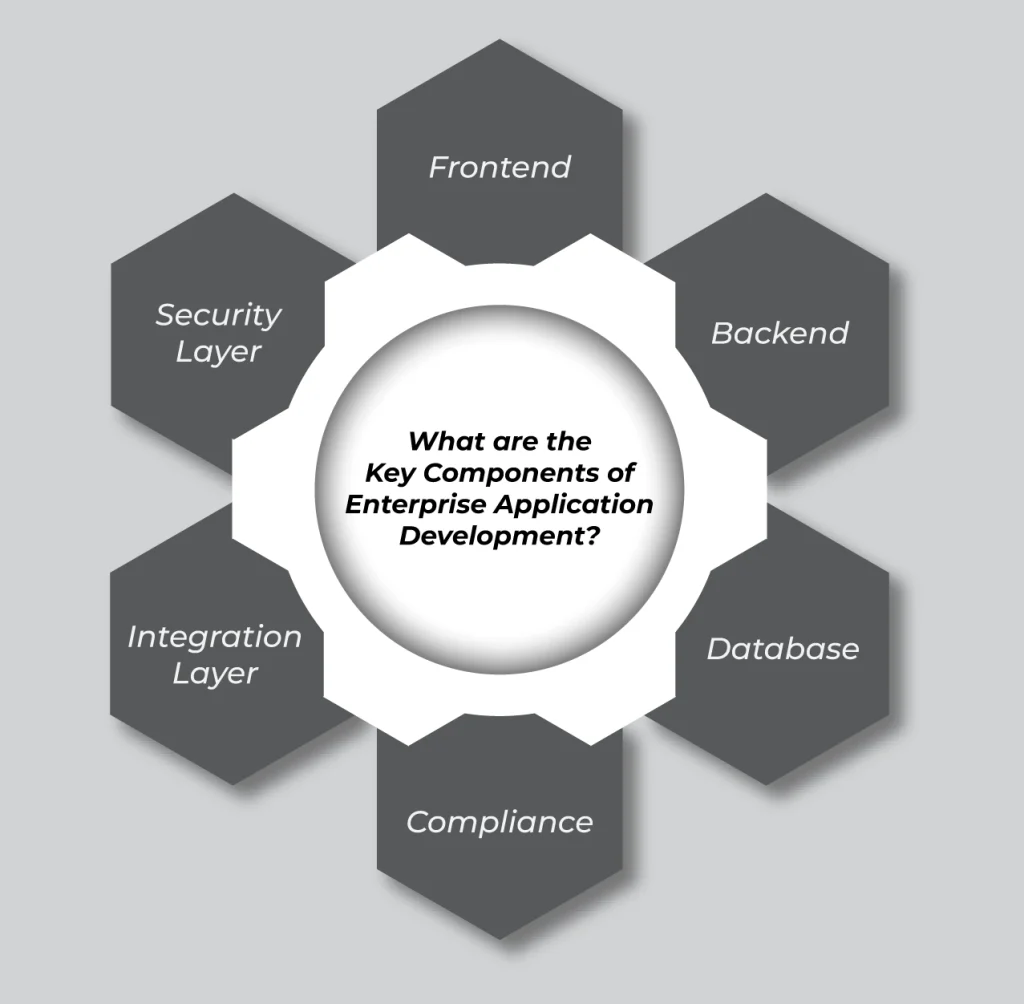
There are several essential components that work together to make the enterprise app reliable and scalable. Each component has a specific role to manage data and ensure smooth operations and secure access. Understanding these building blocks is key to grasping how these apps work and support a business.
Frontend
The frontend is what users interact with. It’s the part of any app that you see and use every day. This includes screens and buttons. A well-designed frontend makes the app intuitive and easy to navigate, ensuring employees can complete tasks easily without confusion.
Backend
The backend handles everything that goes on in the background of an enterprise app. It handles all the logical calculations and operations that make the whole app work. Whenever a user submits any request, the backend processes it and ensures everything runs correctly.
Database
Databases store all the critical information the app needs. This includes the critical things like customer records and transaction histories. A strong database makes sure that the data is organized and easy to access. They also make sure it stays protected, allowing teams to make better decisions quickly.
Compliance
Compliance ensures that the app follows industry standards and internal policies. This is especially important in some critical sectors like finance or healthcare. This is where we need excess data protection because in these industries, mistakes can lead to legal issues or fines.
Integration Layer
The integration layer connects the enterprise app to other software or systems used by the business. It allows different apps to communicate and share data with each other seamlessly. This eliminates silos and improves the overall workflow.
Security Layer
The security layer protects the enterprise app and its data from unauthorized access and potential cyber threats. It includes features such as authentication and monitoring to ensure sensitive business information remains secure.
What are the Types of Enterprise Applications?
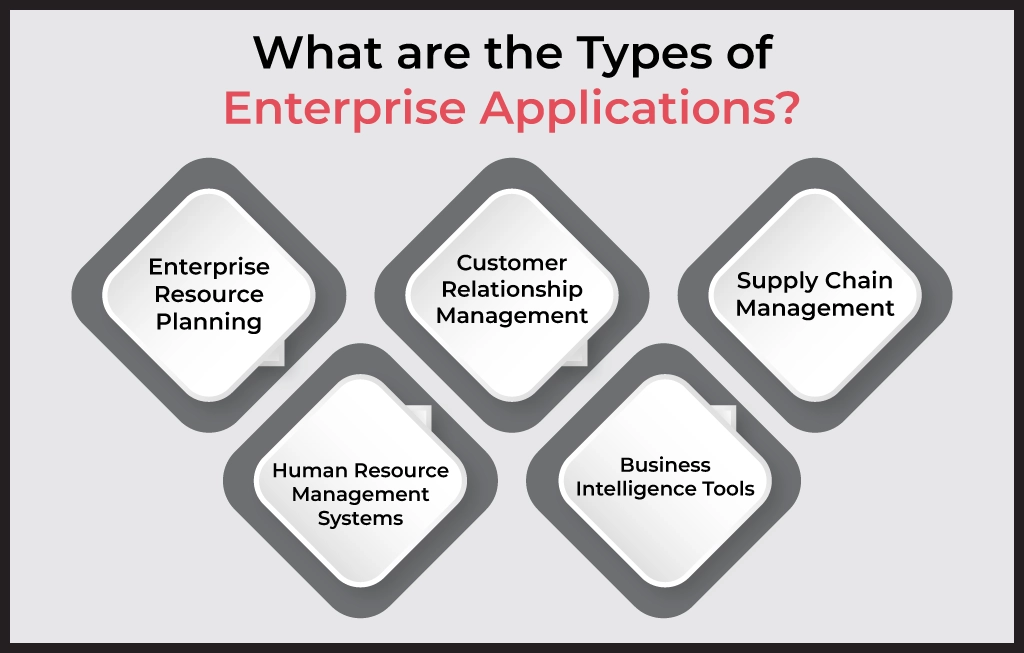
When it comes to enterprise apps, there are many types of enterprise software applications available. Each type of app provides a different purpose.
Enterprise Resource Planning
ERP apps bring multiple business functions into one unified system. Instead of different teams using separate tools, ERP software helps organizations manage all operations from a single platform. This creates better visibility and reduces duplication of work to keep everyone aligned.
Customer Relationship Management
CRM apps focus on managing relationships with customers. They help businesses track customer interactions and sales activities. This brings all support requests in one place to make sure that organizations are able to attend to each customer. With a CRM system, teams can deliver better customer experiences and build long-term relationships.
Supply Chain Management
Supply Chain Management apps help businesses manage the flow of goods and processes across the supply chain. They help plan using information and make deliveries easier and more accurate. These apps improve coordination and even reduce delays to ensure smoother operations.
Human Resource Management Systems
HRMS apps are designed to manage employee-related processes. They help organizations handle tasks such as employee records and attendance. To make these things even easier, they also help manage the payroll and performance management. By automating HR operations, these systems save time and improve accuracy.
Business Intelligence Tools
Business Intelligence tools help organizations make sense of large amounts of data. They transform raw data into great and useful insights through reports and dashboards. With BI tools, decision-makers can identify trends by monitoring performance and making decisions that help the business grow.
What is the Enterprise Application Development Process?
Building an enterprise app is a structured journey that turns a business need into a working, reliable solution. The process lays out the steps teams follow to plan and maintain software that can support real-world business operations.
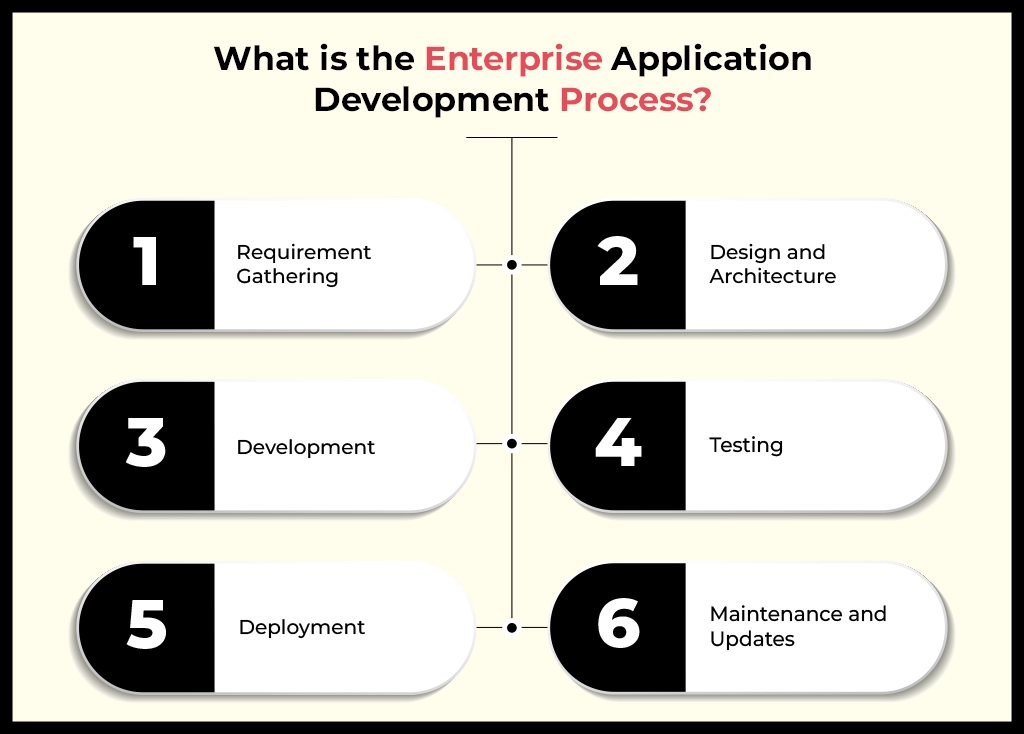
Requirement Gathering
This is where everything begins. Teams sit down with stakeholders to understand what the business actually needs. The goal is to identify problems and understand expectations for the enterprise app. Getting this step right saves time and a lot of confusion later on
Design and Architecture
Once the requirements are clear, the focus turns to planning how the app will be built. This includes deciding how different parts of the system will work together and how the app can grow as business needs change.
Development
After the designs and architecture are decided, developers start building the app. The features are developed step by step, with constant collaboration. This helps make sure everything works as you have expected. It’s a gradual process that focuses on quality and great performance.
Testing
Before the app goes live, it needs to be thoroughly tested. This step helps catch bugs and security gaps in your enterprise app. Testing also guarantees that the app works smoothly in real-world scenarios and delivers a reliable experience for your users and workers.
Deployment
Deployment comes in when the app is released for actual use. The app is set up in a live environment so employees or users can start using it. Thislittlep is carefully planned to make sure there is very less downtime and ensure a smooth transition.
Maintenance and Updates
The work doesn’t stop after launch. Enterprise apps need regular monitoring and improvement updates to stay secure and relevant. As business needs evolve, the app is constantly improved to keep up. This makes maintenance an ongoing and essential part of the process.
Which Technologies are Used in Enterprise Application Development?
When it comes to enterprise app development, the choices for a tech stack are made very logically. Every tool and framework is selected to solve specific business challenges and support large-scale operations. These technologies work together to ensure the app is reliable and capable of handling growth.
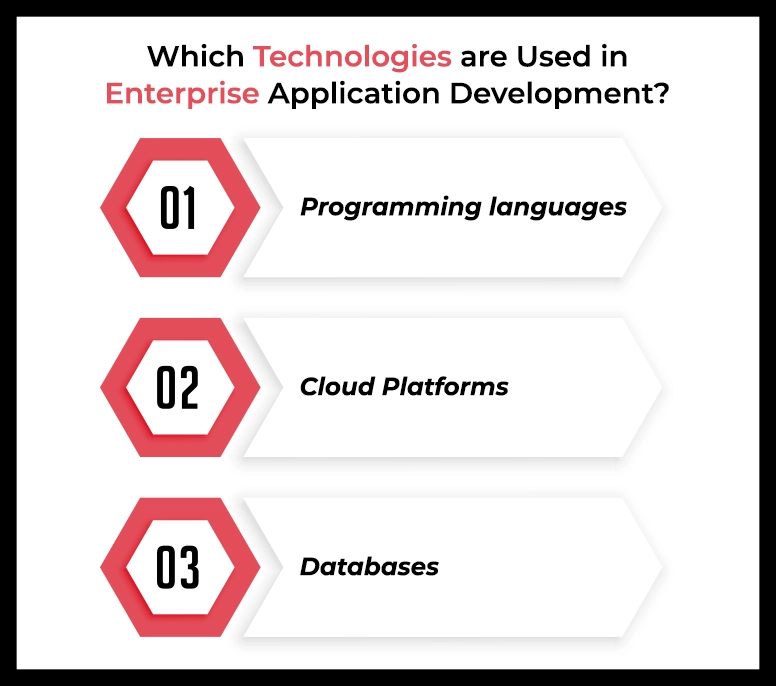
Programming languages
Programming languages form the base of development. They are responsible for determining how the app behaves and handles business logic. The choice of your language depends on factors like performance requirements and long-term maintenance goals.
- Java
- Python
- .NET
- JavaScript
Cloud Platforms
Cloud platforms provide the infrastructure that enterprise apps run on. They make it possible to scale resources up or down and support secure access from anywhere. Choosing the right cloud setup helps organizations stay flexible while keeping operations stable.
- AWS
- Azure
- Private Servers
Databases
Databases are where all enterprise data lives. They play a critical role in storing and retrieving information properly. A well-chosen database ensures data consistency and reliability.
- SQL Server
- Oracle
- MongoDB
- PostgreSQL
Conclusion
If you’re a non-technical person, enterprise app development may sound confusing. We hope that our blog has simplified most of the questions. These apps are all about helping real businesses solve real problems without unnecessary stress. Over 60% of organizations already rely on enterprise tools like ERP and SCM to improve their workflows.
If you’re just beginning your journey into enterprise apps, remember that it isn’t about writing code alone… It’s about building solutions that help people work better and with greater confidence every day.
Frequently Asked Questions
How Do I Know if My Enterprise App Needs Public or Private Cloud Services?
If your app handles sensitive data or has strict compliance needs, go with a private cloud. If you want flexibility and lower costs, a public cloud works better. Many businesses choose a hybrid approach for balance.
How Much Does it Cost to Build Enterprise Software?
The cost easily varies, and it’s based on features, security, and other needs. Enterprise software can range from $100,000 to $500,000+ for large, custom systems.
How Do I Know If My Business Needs an Enterprise App?
You might need an enterprise app if:
- Your operations are getting harder to manage as you grow
- Different departments struggle to share data
- Manual processes are slowing everything down
- Generic software no longer fits your workflows
Basically, when your business outgrows “temporary fixes,” an enterprise app helps bring everything under one system.
How Long Does It Take to Build an Enterprise Application?
For enterprise apps, development usually takes 3 to 6+ months, depending on the complexity and integrations. However, this is something that majorly depends on your app’s individual needs.