Imagine spending months designing an engaging app with the coolest features. The UI is buttery smooth, and your team is buzzing with excitement.
You launch and see users downloading it. However, they poke around for a few seconds and vanish like ghosts. For some reason, it still couldn’t keep users hooked?
Meanwhile, some obscure apps with poor graphics and half your budget are trending. They’re even getting love all over Reddit?
Well, here’s the cold truth:
It’s not about how cool your app is. It’s about how quickly and smoothly users fall in love with it. And that starts with mobile app onboarding. Yet, sadly, many businesses ignore it.
It’s the most underrated phase of your app’s entire lifecycle.
You never get to redo the first 60 seconds or the few taps. The saying “first impression is the last impression” is one you need to take seriously here.
While you’re still figuring out where to put that skip button, your competitors are using AI-based onboarding flows. They’re already working on personalized walk-throughs and micro-rewards that turn curious users into fans.
We don’t want things to stay that way. The goal is to get better than your competitors. But how can you? Well, this is why we’re presenting the best practices for mobile app onboarding. They’ll help your app get higher app user retention rates and more success.
What is Mobile App Onboarding?
Imagine opening that new app you just downloaded… and immediately getting confused about what to do next. Yeah, that’s something that completely kills the vibe. In most cases, users will just leave the app and probably uninstall it.
When you don’t want this to happen, mobile app onboarding comes in. It’s your app’s first impression. It’s one that actually matters a lot. This is because 62% of your new users will form their opinion about a product within the first three interactions.
Mobile app onboarding is the process of guiding new users through your app’s key features. It goes through the setup steps and overall experience. It’s like a mini welcome tour that helps people get comfy.
This is where they’ll understand the value of your app without getting overwhelmed. Essentially, this is where you’ll make the first impression, and this is one that will last!
What Does Mobile App Onboarding Usually Include?
So, mobile app onboarding is different on every app. This is because all apps do something differently or uniquely. That’s how they survive in the first place. If apps work the exact same way as others, they won’t survive in the market and will fade into oblivion.
So, first, ensure that your app has something unique about it. Now, let’s dive into the important aspects that your mobile app onboarding should include:
- Welcome Screen
This is the digital “Nice to meet you!” It sets the tone for the experience ahead, sometimes with a brand message or just a warm intro to what the app is all about.
- Feature Highlights / App Tour
This is where you show users what your app can do without overwhelming them. An app tour is usually presented as a series of swipe-able screens or short animations. They will explain key features.
- Sign-Up or Log-In Prompt
Here’s where you ask users to officially join your world. Offer sign-up options via email or phone. Users love social logins and of course, make it skippable if possible.
- Permission Requests
If your app needs access to notifications or location, ask that here. But do it with context. Don’t just throw a pop-up in their face.
- Personalization Setup
Want to really wow your users? Let them set preferences early. This could be choosing interests or theme modes like dark/light. It helps create a custom experience.
- Interactive Demo / First Task
Let users do something at this stage. This could be adding a favorite item or watching a sample video. This can also be about customizing their profile. Basically, active onboarding builds confidence. Additionally, customized learning paths tend to see 55% better adoption.
What Are the Types of Mobile App Onboarding?
All onboarding flows can’t be created equally. This is because different apps use different styles depending on what they want users to do first. Here are the four most common types of mobile app onboarding:

Progressive
This works on a basic architecture: Learn as you go.
Technically, instead of throwing all the info at the user up front, this type guides them step-by-step. This goes on as they explore the app.
Think of pop-up tooltips or hints. You can make it more engaging by adding “Try this!” nudges while they’re actually using features.
Great for: Apps with rich features. This includes apps like productivity tools or video editors, where users need to get comfy gradually.
Function-Oriented
This type shows what your app does. It works directly and fast.
Function-oriented mobile app onboarding highlights key features right away. It usually does this through swipe-able intro screens or short animations.
It helps users quickly understand the core functionality. Here, we keep things short and simple. It quickly explains to the users what your app can do.
Great for: Apps that solve a specific problem or offer a unique experience. This could include apps like fitness trackers or finance tools.
Benefits-Oriented
The aim is to focus on the benefits for the user. So basically, sell the “why,” not just the “what.”
Here, the focus is on what users get out of the app, like “Track your workouts effortlessly” or “Stream your favorite shows without ads.”
It’s technically all about highlighting value, not just features. Walk your users through what’s in your app for them. Why should they use it anyways?
Great for: Streaming apps or lifestyle apps. This is just useful for anything competing for attention.
Account Setup / Personalization
You need to follow a basic philosophy here. Set it up right, from the start.
This type walks users through creating an account and picking their app preferences. You can conduct A/B testing for this.
You are supposed to let your users personalize their experience. It can make the app feel instantly “theirs.”
Great for: Apps that use personalization heavily. This includes apps that deal with music or streaming.
You don’t need to follow these strictly. Sometimes, apps even combine two or more types to keep the onboarding smooth and effective. The key? Make it helpful, not annoying. You’ll achieve this by focusing more on the user than your app.
What are some apps with good app onboarding examples?
App onboarding can be fun for users to go through. Of course, they’ve downloaded your app, so they would be willing to learn, too.
This means that your mobile app onboarding can definitely be worth the effort. All you need to do is structure it properly.
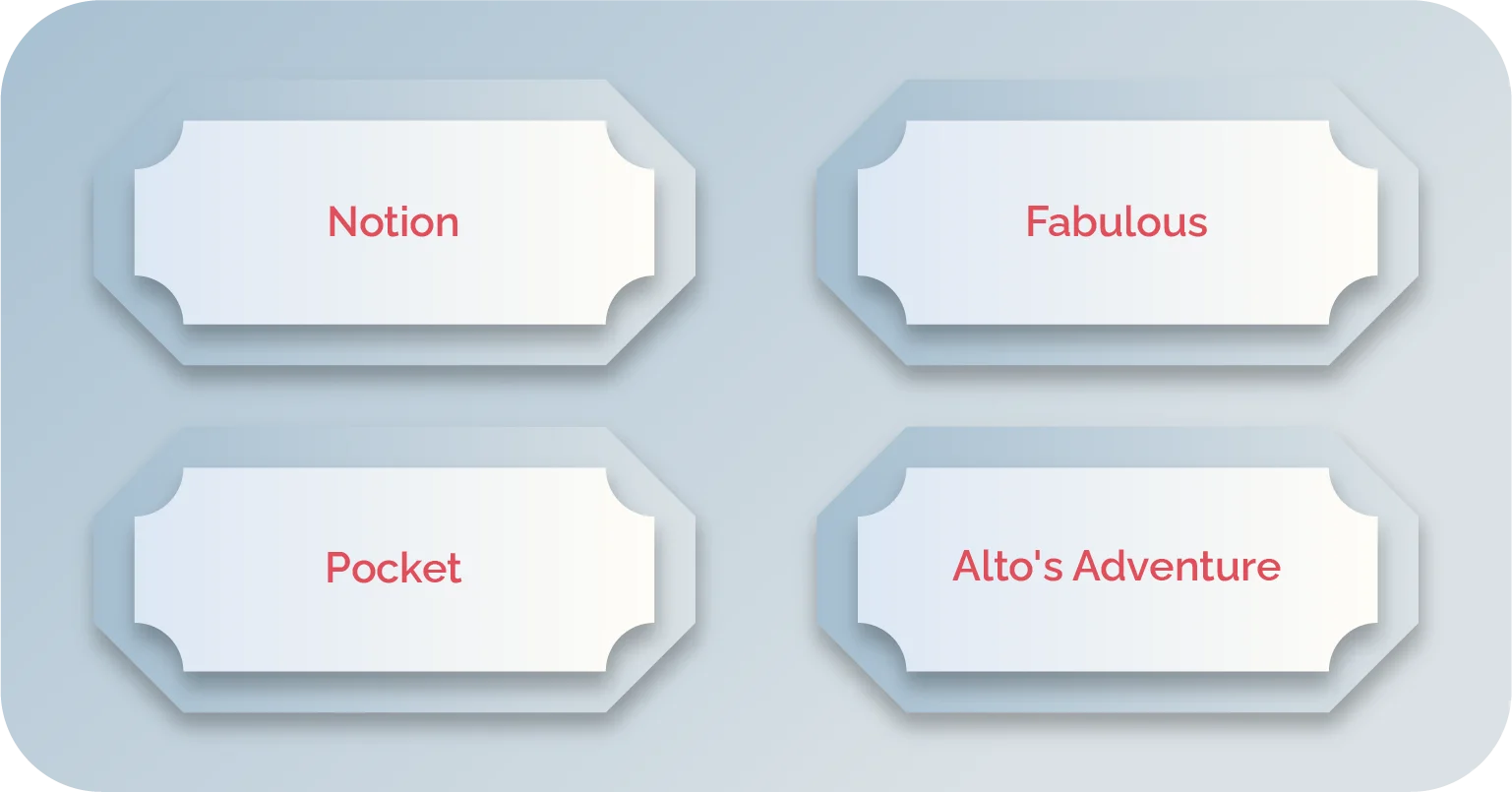
Notion
Type: Function-Oriented Onboarding
Notion is an all-in-one workspace app. It walks users through creating their first “notebook” or project during onboarding.
It doesn’t just tell you what the app can do. Notion actually shows you with interactive templates. It’s quick and gets you into action right away.
Why it’s great: The onboarding is hands-on. This helps you immediately start exploring Notion’s versatile features.
Fabulous
Type: Progressive Onboarding
This is a wellness app that helps you build better habits. It introduces you to new features bit by bit. It doesn’t overwhelm you with everything at once.
Instead, you’re gently guided through a morning routine setup, and you set goals. It shows motivational prompts that build up as you use the app.
It’s personal and progressive, giving users space to grow into the app.
Type: Progressive Onboarding
Pocket is a “save it for later” app. It starts with a clean and simple intro, showing you how to save articles for future reading.
As you use it, it gradually introduces features like sharing with friends or organizing saved content. There’s no rush there; it’s easy to get started with minimal effort, but you get more as you go.
Pocket has a smooth and low-pressure approach, which makes learning the app feel natural over time.
Alto’s Adventure
Onboarding Type: Progressive + Function-Oriented Onboarding
Here’s a gaming app that combines both approaches. Alto’s Adventure is a beautiful snowboarding game. It does a fantastic job of onboarding users without overwhelming them.
The game slowly introduces gameplay mechanics slowly as you progress. You learn as you go. Right from the start, the game’s focus is on fun. The onboarding feels like part of the adventure, rather than a dry setup.
By integrating gameplay mechanics gradually, Alto’s Adventure ensures that new users don’t feel lost or frustrated.
What are some Mobile App Onboarding Best Practices?
So, now we know how much First impressions matter. So, naturally, if your onboarding process is confusing or too long, users will bounce. Fast. In fact, 72% of users abandon an app during onboarding if it feels like a chore. So, let’s fix that.
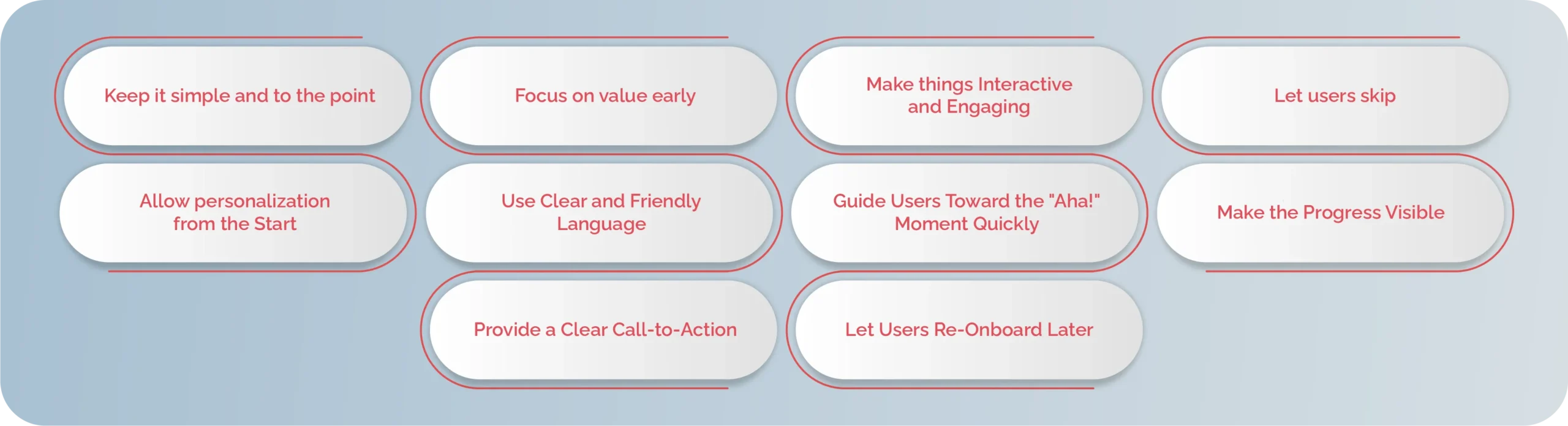
Here are 10 mobile app onboarding best practices that will help you build a smoother user experience from the very first tap:
1. Keep it simple and to the point
Nobody wants a novel right after they open an app. If you’re planning to do that, then just know that it ranks number one on the list of “how to overwhelm your users and send them away.”
Get straight to the point. Reduce the steps and avoid unnecessary jargon. You will show users only what they need to get started. The more screens you throw in their face, the faster they’ll peace out.
2. Focus on value early
Don’t just parade features. You aren’t supposed to bombard them with the app’s functionalities. Instead, go slow and show what the app does for the user.
Apps that explain the value upfront retain 45% more users than those that don’t. So, focus on showing why your app matters before you dive into the “how.” Users want to know how you can help them.
3. Make things Interactive and Engaging
Boring = forgettable. Or maybe it could result in an unforgettably boring experience. Instead of static screens, get more creative with what you’re doing.
Use interactive walkthroughs or mini-tutorials. You could even gamify the onboarding to keep users curious and engaged. Apps with gamification, like badges, see 50% higher completion rates.
4. Let users skip
Yes, really. Give users the option to skip onboarding if they want. You might wonder why in the first place. But it’s necessary.
See, power users might not need the walkthrough. So, you need to give them the freedom that shows you respect their time. Moreover, many people uninstall and reinstall the same app multiple times. They don’t want to watch the same tutorial again and again.
5. Allow personalization from the Start
Personalization is a retention tool. It’s there to allow users to set preferences and choose interests. It lets them customize the settings right at the beginning.
Personalized mobile app onboarding increases user retention by 40% compared to generic flows. This is because it creates a tailored experience that feels just right. Every user would love this one.
6. Use Clear and Friendly Language
You’re not writing a tech manual, and you’re also not there to flex your English skills. So, ditch the robot-speak. You don’t want to leave users in a complex position.
Use simple, human-centered language. It should match your brand’s tone and feel like a conversation, not an instruction manual. It should flow naturally and feel engaging. Overall, it needs to be fun.
7. Guide Users Toward the “Aha!” Moment Quickly
What’s the moment your app clicks for users? Get them there ASAP. Don’t wait while you walk them through every step. This will get boring quicker than you know!
Just get them to that magical point where they see the app’s value. It should happen within the first few interactions. So, remove any friction that delays this moment.
8. Make the Progress Visible
No one likes feeling lost during the mobile app onboarding process. Remember that moment when people tap on your screen to check how much was left when you were showing them a video?
It’s because they just want to know where they are. A progress bar or visual indicator gives users a sense of control and direction. And yes, it works. Just adding a progress bar has been shown to boost completion rates by 22%.
9. Provide a Clear Call-to-Action
Every screen in the onboarding flow should lead to a single, focused action. This could be signing up or adding details. Maybe it is about exploring a feature.
Technically, your CTAs should be clear and purposeful. You need to engage the users and ultimately get them to the point where you want them to do what your app does!
10. Let Users Re-Onboard Later
Sometimes users skip onboarding and regret it later. It’s natural for them to feel this way. But don’t let them regret so much that they leave.
Give them a chance to revisit it from settings or during key product updates. It’s a second chance to educate and engage. Let them regain control.
You can add any of these during the app development phase. Technically focus on making the app engaging through onboarding.
Build your Mobile App Onboarding Flow with Linkitsoft
Mobile app onboarding can be the key to high app user retention. Everyone wants that for their app. Fortunately, Linkitsoft intends to do the same for you. We’re here to help you with app development and A/B testing. But more than that, we want to help you build a simple and basic mobile app onboarding flow.
Maybe you’ve already built your app and just want a smooth launch. We’ll still be able to develop and design the first impression your app will give. Linkitsoft will make sure this is an impression that will last!
Here’s how we’ll help:
- We help you design custom flows based on your audience and app category. One-size-fits-all? Not here.
- Show users what your app can do by letting them do it. We build interactive onboarding that actually engages.
- Google or Facebook? We integrate all the good stuff so users can jump in with zero friction.
- Need access to the camera or location? We design permission prompts with context, not confusion.
- Nobody likes to feel lost. We add step indicators and even early micro-rewards to keep users motivated.
- Whether you want cozy, quirky, or classy, our design team creates welcome screens that match your vibe and brand.
Hop on our boat and make mobile app onboarding fun and engaging. So what are you waiting for? Contact us today! Let’s get started.