

Video calling has become a central part of both personal and professional communication. What started as a way to connect with friends and family is now a key tool for businesses, especially as remote work grows. More companies are looking to integrate video chat into their apps to improve collaboration, customer engagement, and overall productivity.
The video conferencing market is expanding rapidly, with projections showing it could reach $8.6 billion by 2027. While competing with big names like Zoom or Google Meet is challenging, careful planning, the right features, and a thoughtful development approach can help your app stand out.
In this extensive guide to video chat app development in 2026, we’ll walk through the entire process. You will learn how video chat apps are made, the key features they need, the technologies used, and the cost factors involved in creating a reliable video communication platform.
Choosing Between Ready-Made Tools and Custom Video Chat Apps
Businesses building a video chat app typically have two options. They can either use ready-made tools or develop a custom app from scratch. Each approach has advantages and limitations. The best approach depends on budget, timeline, and the features required.
Using Ready-Made Video Chat Tools
Ready-made tools, such as APIs and SDKs, allow apps to include video calls, voice chat, and messaging without building the system from scratch. These tools handle the underlying technology, including real-time video streaming and server management. This approach reduces development time and speeds up launch.
However, there are limitations. Businesses cannot fully control every feature. They depend on the provider for updates and performance. Costs may rise as the number of users grows. Some provider updates can also require adjustments to the app.
Advantages of Ready-Made Tools
- Quick integration: Pre-built solutions allow developers to add video chat features without building the entire system from scratch, saving time during development.
- Lower upfront costs: Using existing infrastructure lessens the need for a large team or extensive resources at the start of the project.
- Proven technology: APIs and SDKs have been tested and used in multiple apps, ensuring stability and reliability.
- Less technical burden: Teams can focus on other parts of the app while the core video technology is handled by the provider.
Limitations of Ready-Made Tools
- Limited flexibility: Customization is restricted to what the provider allows. This means adding unique features is a hassle.
- Dependence on external services: Performance, updates, and system changes depend on the third-party provider.
- Scaling challenges: A large boost in users or traffic may require additional planning or higher costs.
- Variable long-term costs: Costs often grow as the app’s usage expands, which can affect budget planning.
Using ready-made tools is best suited for projects that need to launch quickly, require minimal setup, or have a limited budget. They are ideal for MVPs, small teams, and startups testing a concept.
Building a Custom Video Chat App
Custom development involves creating the entire system, including servers and features, from scratch. This provides full control over the app and allows unique features or integrations tailored to business needs.
Custom apps take longer to develop and require skilled developers. The initial costs are higher. Despite this, they offer greater long-term value. When making a custom video chat app, businesses maintain full control over updates, performance, and future expansion.
Advantages of Custom Apps
- Full control over features and design: Every aspect of the video chat app can be built to match your exact requirements, allowing unique functionality.
- Tailored to business needs: The app can be designed to fit your specific workflows and user expectations, making it easier to scale as the business grows.
- Simpler future expansions: Adding new features or integrating with other systems is easier because the app is fully owned and flexible.
- Independent from third-party providers: You maintain full control over infrastructure, updates, and performance of the video chat app without relying on external services.
Limitations of Custom Apps
- Longer development time: Building a video chat app from scratch requires planning, coding, and testing of real-time systems.
- Higher initial investment: Developing the app and its infrastructure requires more resources, servers, and skilled developers.
- Requires technical expertise: Skilled developers are needed to ensure smooth real-time communication, high-quality video, and secure servers.
- Ongoing maintenance and updates: Regular work is needed to keep the video chat app working well, maintain security, and ensure compatibility with new devices and networks.
Custom apps work for applications that require advanced features, high performance, or scalability. This makes it ideal for long-term projects, businesses with complex requirements, or products expecting heavy user traffic.
Must-Have Features for a Video Chat App
Functionality is important for your users to have an intuitive and reliable video chat experience. Here are the essential features that form the core of any video chat app:
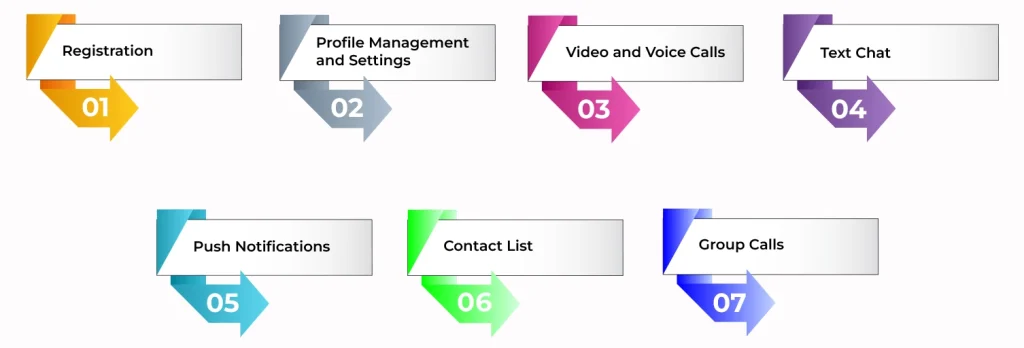
1. Registration
A registration feature is a core feature in the video chat app, which helps users return to your app easily. Although guest access can work for occasional users, repeating names every time frustrates regular users. Third-party login options like Google, Apple, or Facebook simplify signing in and make the process faster.
2. Profile Management and Settings
Users need a way to manage personal details such as names, emails, and passwords. Apps with subscriptions also need to handle payment information securely. In-app purchase tools help users pay through the platform without complications.
3. Video and Voice Calls
Video and voice calls are the core of any chat app. The video should be at least HD quality, and the audio must be clear. Users should be able to mute or unmute the microphone and turn the camera on or off easily. Optimizing the connection helps maintain a good experience even on a lower bandwidth.
4. Text Chat
Text messaging complements video and voice calls. It allows users to send files, links, and messages in real-time. So, fast and reliable messaging keeps users engaged between calls.
5. Push Notifications
Notifications keep users updated on new messages, missed calls, and application updates. Timely alerts help users stay active and respond quickly. Integration with tools like Firebase or Apple Push Notifications simplifies this feature.
6. Contact List
A contact list allows users to find and connect with others by name or nickname. Importing phone contacts, with permission, makes the process easier. A well-designed contact system helps users maintain continuity in conversations.
7. Group Calls
Group calls let users communicate in teams or larger groups. Small-group support is enough for casual video chatting apps, but professional or enterprise apps need large-group support with host controls. Moreover, features like muting participants or sending an invitation link make calls more organized.
Additional Features For Video Chat App
The must-have features form the basis of your video chat app, but people choose you over other video chat applications due to the unique features you have. Here’s a list of some advanced features you can integrate to make your app more user-intuitive:
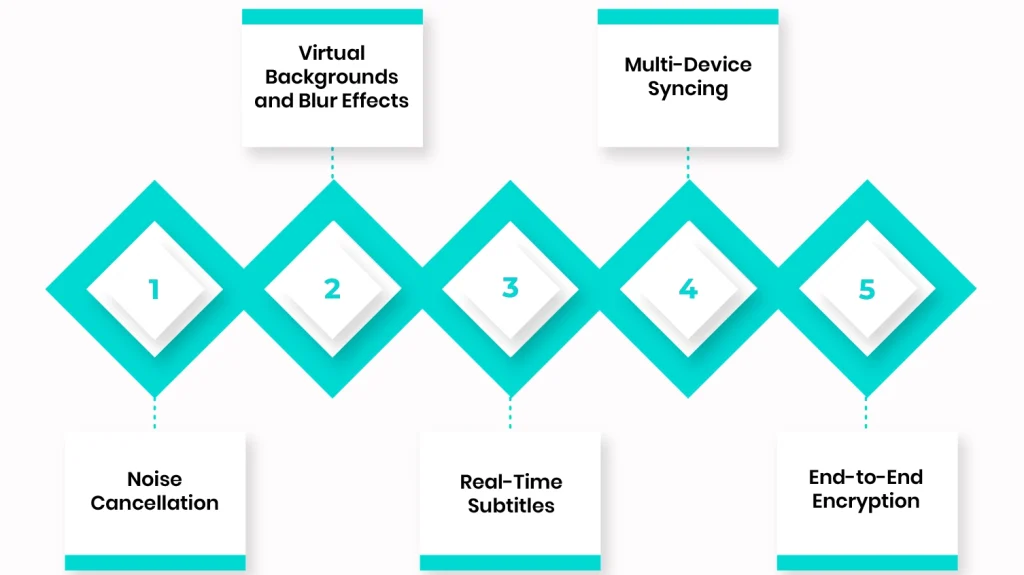
1. Noise Cancellation
Noise cancellation removes background sounds during calls. This helps users hear clearly in busy or noisy environments.
2. Virtual Backgrounds and Blur Effects
This feature lets users change or blur their background during video calls. It adds privacy and gives calls a more professional look.
3. Real-Time Subtitles
Subtitles show speech in real-time. This helps users who are hearing impaired or participating in multilingual calls follow the conversation.
4. Multi-Device Syncing
Users can switch devices during a call without disruption. This works well for people moving from a desktop to their smartphone or tablet.
5. End-to-End Encryption
All messages and calls are encrypted from sender to recipient. No one outside the conversation can access them. This keeps communication private and secure.
How to Build a Video Chat App?
Video chat applications are used everywhere today, from work meetings to online classes and staying in touch with friends. The following guide explains each stage, helping you plan and develop a video chat app that works well for your users.
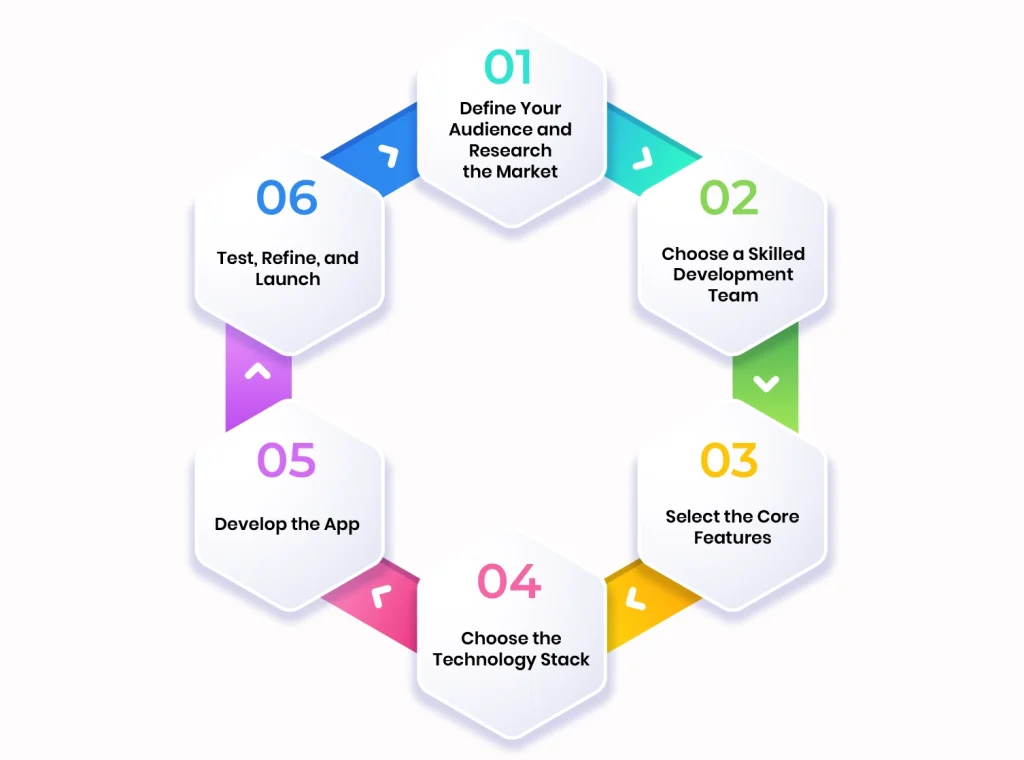
Step 1: Define Your Audience and Research the Market
Before development, start by thinking about who will use your app. Are they remote teams working on projects, teachers running online classes, or friends staying in touch? Next, identify their unique needs, pain points, and what they expect from a video chat solution. Then, look at competitors and note what works and what could be improved.
By doing so, you can plan features that are useful, attractive, and make your app stand out. This also helps you create a more engaging experience for users.
Step 2: Choose a Skilled Development Team
After you know your audience, find a development team with experience in real-time communication technologies like WebRTC and VoIP. Look at their previous projects and client feedback, especially for video chat apps. Also, ask how they handle security, scalability, and support after launch.
Working with a full-cycle team that can handle architecture, server setup, video streaming, and post-launch maintenance makes the development process smoother and more efficient.
Step 3: Select the Core Features
Even if your concept is clear, it is hard to predict how it will work in practice. Therefore, start with a Minimum Viable Product (MVP) that includes only the essential features. This allows you to test the video chat app in a real-world setting and collect user feedback.
At this stage, your team can advise which features fit your timeline and budget. Starting with an MVP also helps focus on performance and reliability before adding more advanced functions.
Step 4: Choose the Technology Stack
Next, the development team selects the technologies and tools for your app. This includes video processing, backend servers, databases, and the user interface.
A carefully chosen tech stack keeps calls stable, audio and video smooth, and allows the app to handle more users as it grows. Planning the stack early prevents technical problems later and makes it easier to expand features in the future.
Step 5: Develop the App
Now the team begins building the custom video chat application. They set up servers, create the interface, and integrate features such as video calls, voice calls, text chat, notifications, and contact lists. UI and UX designers work alongside devs to make the app intuitive and easy to use.
Linkitsoft uses Agile methods with regular sprints, regular client feedback, and real-time updates. This allows quick adjustments and keeps the project moving efficiently. Security measures such as encryption and data handling are added at this stage.
Step 6: Test, Refine, and Launch
Once the video chat app is developed, it’s time to test the app. At this stage, the QA team checks for bugs, performance issues, and connectivity problems. Beta testing with real users can highlight issues not found during internal testing.
After resolving these problems, the video chat application is ready for launch. Post-launch, updates and performance checks can be carried out based on user feedback. This keeps the app stable, responsive, and ready for future growth.
Ways to Monetize Your Video Chat App
If you want your video chat app to generate revenue, there are several ways to do it. Making money from your app not only attracts investors but also helps fund further development. Here are the main options to monetize your video chat app:
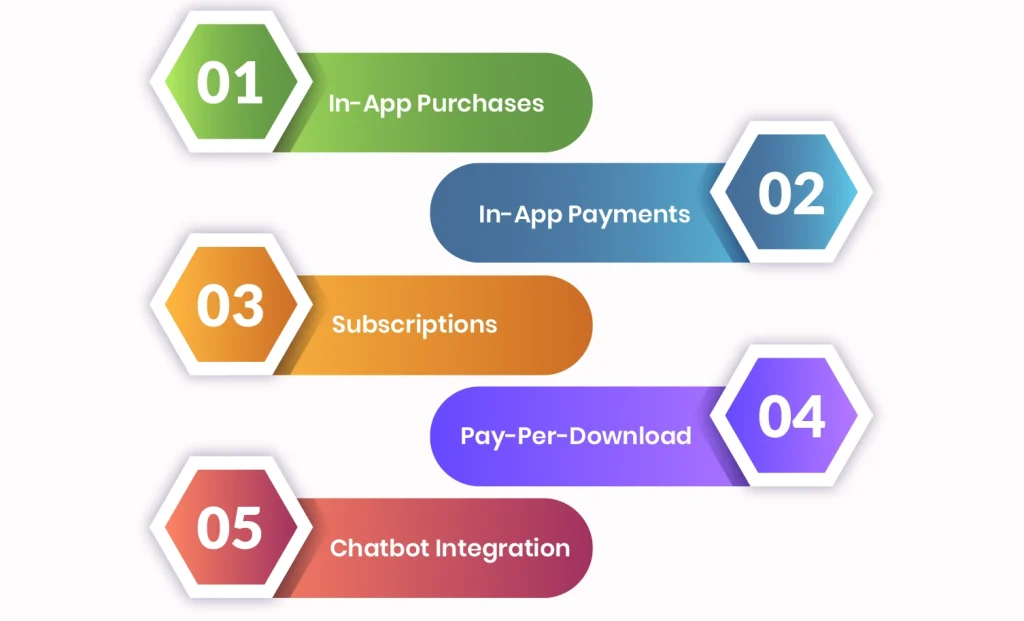
1. In-App Purchases
You can let users access the basic features for free, but charge for advanced ones. This way, casual users can try the app without paying, while active users pay for features that make their experience better.
2. In-App Payments
Some apps let users send money to each other or pay for services directly in the app. You can take a small fee for each transaction. This works well if your app is used for tutoring, paid consultations, or other services where money moves between users.
3. Subscriptions
Subscriptions give users access to premium features on a weekly, monthly, or yearly plan. Free users get basic tools, while paying users get to use extra functions. This approach encourages people to stick with the video app over time.
4. Pay-Per-Download
This is a one-time fee for downloading the video chat app, and each download contributes directly to revenue. This model works best if your app offers unique or professional-grade features that users are willing to pay for upfront.
5. Chatbot Integration
Using chatbots to suggest services, products, or content can generate additional revenue. Chatbots help increase engagement and can drive sales or earn commissions through partnerships. This adds value to the app while opening up another income stream.
The right monetization depends on your users and what they need most. Combining methods, such as subscriptions plus in-app purchases, often works better than sticking to just one.
Critical Technical Aspects for a Successful Video Chat App
Video chat apps are more demanding than most digital solutions. Even small issues can frustrate users and affect trust or revenue. These apps deal with sensitive data and depend on real-time media delivery, which must work reliably across different networks and devices.
For business-focused apps, mistakes early on can lead to security problems, poor performance, or expensive rework. Considering technical challenges from the beginning helps avoid these issues as the app grows.
Protect User Data from the Start
Video chat apps carry private information, from live video streams to personal messages and account details. If security is weak, data leaks can happen, which is a big risk for healthcare, enterprise, or finance apps.
You should set up strong access rules, encrypt messages and video, and control who can see or store data. Following rules such as GDPR or HIPAA is also essential for apps that handle sensitive information. Doing this early keeps your users’ data safe and prevents legal headaches later.
Keeping Video and Audio Reliable
Users connect from mobile networks, public Wi-Fi, or different devices. Network changes can cause delays, frozen video, or poor audio. Even small interruptions hurt user experience and reduce engagement.
Using adaptive video quality helps the app adjust to changing bandwidth. Prioritizing audio over video keeps conversations going even if the connection is shaky, and quick reconnections after a drop make the experience feel effortless. This way, users stay engaged, and the app feels dependable.
Design for Growth and More Users
An app that works well for ten users may not be able to handle hundreds or thousands. More participants mean more video streams, calls, and backend requests. And if the system isn’t ready, the app slows down or crashes.
Using modular architecture and cloud-ready infrastructure with load balancing helps the app handle more users smoothly. So, planning for growth early makes it easier to add features and expand your user base without starting over.
Estimating the Cost of a Video Chat App
The price of building a video chat app can vary widely. It depends on what features you want, how many integrations are needed, and which platforms you plan to launch on. Security and compliance requirements also affect the budget.
A basic app with one-on-one video calls and simple messaging is relatively affordable. But if you want group calls, screen sharing, HD video, or strong encryption, the cost rises. Enterprise-level solutions with advanced media features and high user capacity will require a bigger investment.
To give a rough idea, a simple MVP with essential functions might cost anywhere from $40,000-$70,000. On the other hand, a fully-featured app designed for scalability, security, and large teams can easily go above $100,000. Your final cost will depend on the features you prioritize, the development approach, and the team you choose.
Wrapping Up
That brings us to the end of the guide. It’s clear that building a video chat app takes careful planning around features, tech stack, and costs. Therefore, partnering with a reliable app development company can help you make the right decisions, handle challenges effectively, and keep the app project on track so your custom video chat app works reliably and meets your business goals from day one.
Frequently Asked Questions
How long does it take to build a video chat app?
Well, development time depends on the app’s complexity and team experience. A simple MVP may take 2–3 months, while a full-scale app with advanced features and scalability could take 6–9 months or more.
Should I use a ready-made tool or build a custom video chat app?
Ready-made solutions like APIs and SDKs are faster and less expensive but limit customization and control. Custom apps take longer and cost more upfront, but give full control over features, design, and scalability.
Which technology stack is best for a video chat app?
Most modern apps rely on WebRTC for real-time video and audio, combined with scalable backend services such as Node.js, cloud infrastructure, and databases. Mobile apps typically use native iOS/Android frameworks or cross-platform solutions.
How do I ensure the video chat app works well on different networks?
To make sure that your video chat app functions well on various networks, you can use adaptive bitrate streaming, prioritizing audio over video during poor connections, and automatic reconnection mechanisms help maintain call quality. Testing under real-world network conditions is critical.