
Smart TVs have become a major platform for digital content consumption, with users increasingly relying on streaming apps such as Netflix, Hulu, and Amazon Prime instead of traditional TV. This shift has turned the television into a central hub for entertainment, learning, and on-demand content.
As a result, smart TV app development is gaining strong attention from businesses aiming to expand their reach across various digital platforms. However, making apps for smart TVs is not the same as building mobile or web apps. It requires different platforms, with each having unique design requirements and specific performance considerations. Factors like remote-based navigation, large-screen optimization, and platform compatibility play an important role in the overall user experience.
This guide gives a clear and detailed overview of smart TV app development, including key platforms, development approaches, design practices, and common challenges, to help you better understand how to build effective smart TV applications.
What Is Smart TV App Development?
Smart TV application development refers to the process of making apps that run on internet-enabled television devices. These applications allow users to stream videos, access digital content, play games, and use interactive services directly on their televisions.
Unlike traditional TV broadcasting, smart TV apps give on-demand access. This allows users to choose what they want to watch and when. These apps are typically distributed through platform-specific app stores like Samsung Tizen, LG webOS, Android TV, Roku, and Amazon Fire TV.
Smart TV apps are designed specifically for large screens and remote-based navigation, which makes their structure and user experience different from mobile or web applications.
Top Platforms for Smart TV App Development
There are several platforms used for smart TV app development today. Each platform comes with its own system, tools, and user base. The correct choice depends on your target audience and business goals.
1. Android TV
Android TV is one of the most widely used platforms. It is built on the Android system. This makes it easier for mobile developers to work on it. It also supports many types of apps and has a large user base.
2. Apple TV
Apple TV is mostly used by users in the Apple ecosystem. It offers smooth performance. It also supports features like Siri integration. However, its audience is smaller compared to Android TV.
3. Amazon Fire TV
Amazon Fire TV is a popular streaming platform. It also supports Alexa voice control. It is commonly used for entertainment apps and supports high-quality video, including 4K.
4. Roku
Roku is a simple and affordable streaming option. Users can use Roku devices with their existing TV. A new smart TV is not required. It supports many channels. It is also easy to set up.
Other platforms like Samsung Tizen, LG webOS, Sony, and Vizio are also commonly used. The best platform depends on your app type, target users, and long-term development plan.
Why Businesses Are Investing in Smart TV Apps
The growth of smart TV usage is strongly supported by increasing streaming consumption, longer viewing time, and increasing household adoption of connected devices.
- In the United States, streaming accounts for more than 47.3% of total TV viewing time, officially surpassing cable and broadcast combined in recent Nielsen reports.
- YouTube CEO Neal Mohan discloses that YouTube viewers are watching 1 billion hours plus of YouTube content on their TVs every day.
- Video content makes up more than 80% of global internet traffic, with a major share coming from streaming and TV-based viewing (Cisco Annual Internet Report).
- The global smart TV market is growing steadily. It is expected that more than half of households worldwide will have a smart TV by 2026, driven by the rise of streaming and connected entertainment (Source: Strategy Analytics).
These trends also highlight why smart TV apps are becoming an important channel for digital businesses.
The Step-by-Step Process of Smart TV Application Development
Building a smart TV app involves several stages that ensure the app works properly across different TV platforms and screen sizes. Since smart TVs rely on remote controls and have limited system resources, each step needs careful execution.
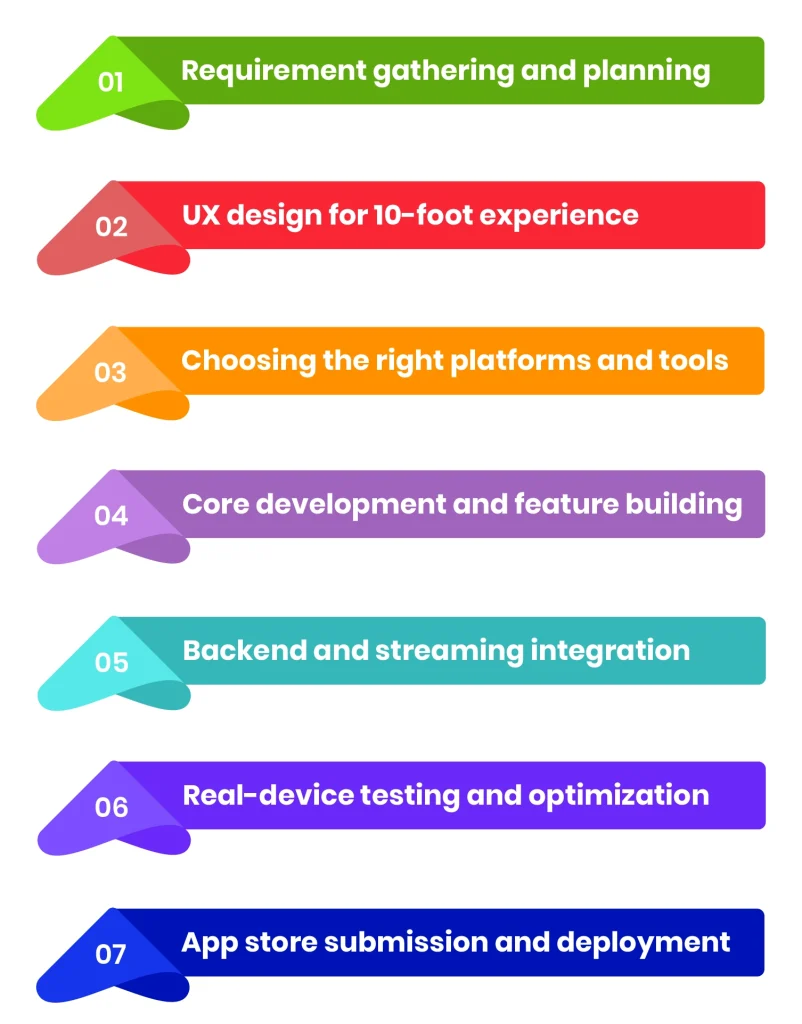
1. Requirement gathering and planning
The process starts by defining what our app will do, who will use it, and which platforms it will support. This includes deciding whether the smart TV app will focus on streaming, gaming, education, or utility-based services. Clear planning is important because each TV platform has different technical limitations and approval requirements.
A proper planning stage helps set the direction of the entire project. It reduces confusion later and ensures the development team has a clear understanding of the features and platform expectations before coding begins.
2. UX design for 10-foot experience
Smart TV design is very different from mobile design. Users sit several feet away from the screen, so everything must be large, clear, and easy to navigate. Designers focus on simple layouts, minimal text input, and strong visual focus indicators that work with remote controls instead of touch.
Good UX design ensures that users can move through the app without effort. Since interaction happens through a remote, clarity and simplicity become more important than advanced visuals or complex layouts.
3. Choosing the right platforms and tools
Developers select platforms such as Android TV, Samsung Tizen, LG webOS, or Roku. Each platform has its own SDK, programming language support, and UI guidelines. This step directly impacts development time, cost, and future scalability.
The choice of platform also affects long-term maintenance. Some platforms are easier to scale, while others require more platform-specific development effort.
4. Core development and feature building
This stage involves making the actual smart TV application, including video playback systems, content browsing, search functionality, and user interaction flows. Performance optimization is critical because smart TVs generally have lower memory and processing capacity compared to mobile devices.
In this step, developers focus on ensuring smooth performance across all features. Because even small delays or lag can affect user experience on TV screens.
5. Backend and streaming integration
Most smart TV apps depend on backend systems for content delivery. This includes APIs, content management systems (CMS), and CDNs to ensure smooth video streaming without buffering or delays.
A strong backend setup ensures that content loads quickly and plays without interruptions. It also supports scalability when user traffic grows.
6. Real-device testing and optimization
Testing is one of the most important stages in smart TV development. Smart TV apps must be tested on actual devices to ensure proper navigation, responsiveness, and playback performance. Emulators are not enough because they cannot replicate real TV hardware behavior.
Real-device testing helps identify performance issues and UI glitches early. It makes sure the applications work perfectly across different TV models and operating systems.
7. App store submission and deployment
Once the app is ready, it must go through platform-specific review processes. Each store, like Samsung or LG, has strict guidelines related to performance, UI behavior, and content policies before approving the app for public release.
Proper compliance with these guidelines improves approval chances. It also reduces delays during the launch phase and ensures a smoother deployment process.
Best Practices for Smart TV App Development
Before development begins, it is important to understand the key areas that affect the usability and performance of a smart TV app. These include platform selection, UI design, navigation flow, and testing on real devices. When these elements are handled properly, the application becomes easier to use and more stable across different TV models.
Below are some important tips to follow during smart TV app development.
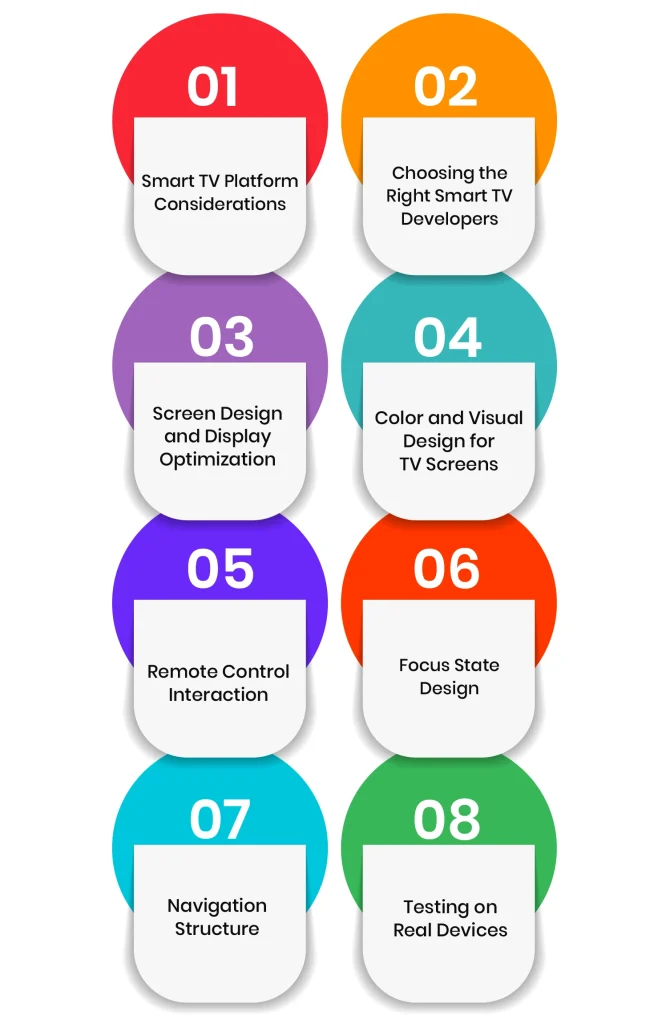
Smart TV Platform Considerations
Smart TV applications run on different platforms such as Android TV, Samsung Tizen, and LG webOS. Each platform works in its own way. It also has different rules and tools.
Because of this, developers must plan carefully. They need to consider OS versions, screen sizes, and hardware limits. In addition, supporting more platforms increases complexity. It also increases maintenance work.
However, platform vendors provide helpful resources. For example, Samsung offers SDKs and UX guidelines. These help developers build better apps and follow correct standards.
Choosing the Right Smart TV Developers
The development team is very important for project success. Skilled developers understand platform rules. They also understand performance limits and UI behavior.
So, it is important to check their experience first. Review past projects and technical skills. Also, check client feedback. This helps avoid delays later in development.
In addition, discuss pricing and timelines early. This makes the process clearer and more stable.
Screen Design and Display Optimization
Smart TV apps are used from a distance. Usually, users sit around three meters away. Because of this, everything must be clear and readable.
Text size must be large. UI elements must be simple. At the same time, spacing must be clean.
Also, different TVs have different screen sizes and resolutions. So, the design must adjust properly across devices. Otherwise, the experience becomes poor.
Color and Visual Design for TV Screens
TV screens are brighter than most devices. Because of this, strong colors can sometimes create glare.
In many cases, users watch TV in low light. So, brightness and contrast must be balanced carefully.
Good color design improves comfort. It also helps users watch content for longer without strain.
Remote Control Interaction
Remote control is the main way users interact with smart TVs. Therefore, the app must respond smoothly to remote inputs.
Different platforms may support different input methods. Some support keyboards or game controllers as well. For example, Samsung TVs support multiple input devices. Apple TV mainly uses the Siri remote in supported regions.
So, the smart TV app must be flexible. It should work well with all supported controls.
Focus State Design
Focus state is very important in smart TV apps. It shows which item is selected on the screen.
Since users do not use a mouse or touch screen, they depend fully on focus indicators.
A clear focus state reduces confusion. It also makes navigation easier and faster. Without it, users can easily get lost in the interface.
Navigation Structure
Navigation must be simple and clear. Users should always know where they are. They should also understand what will happen next.
Because of this, complex menus should be avoided. Too many steps can frustrate users.
Instead, apps should provide direct access to content. This improves usability and keeps users engaged.
Testing on Real Devices
Testing on real devices is very important. Emulators are not enough. They cannot show real performance issues.
Therefore, apps must be tested on actual TVs. This includes different brands and models.
As a result, developers can find bugs early. They can also improve performance before launch.
Common Challenges in Smart TV App Development
Smart TV app development looks simple on the surface. However, in real projects, developers face several technical and design challenges. These challenges mainly come from platform differences, hardware limits, and user interaction style.
Below are some of the most common challenges in smart TV app development.
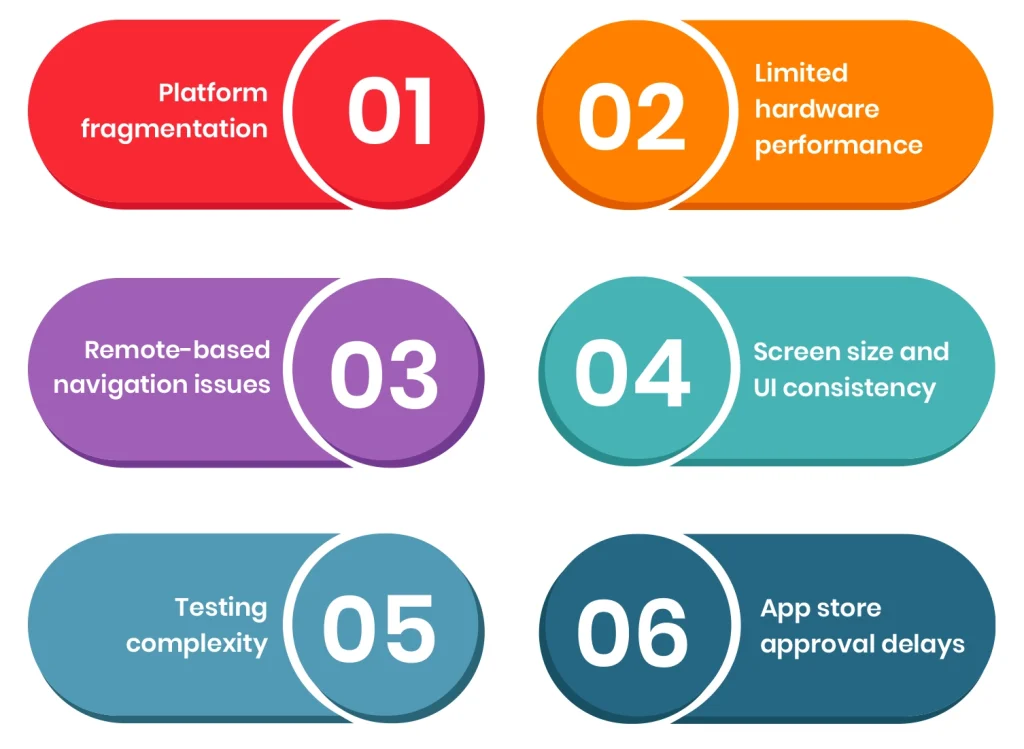
1. Platform fragmentation
Smart TV apps must run on different platforms such as Android TV, Samsung Tizen, LG webOS, and Roku. Each platform has its own SDK, rules, and system behavior.
Because of this, the same app often needs multiple versions or adjustments. This increases development time and effort. It also makes maintenance more complex after launch.
2. Limited hardware performance
Most smart TVs do not have strong processors or high memory. This is a major limitation compared to mobile devices.
As a result, heavy animations or complex features can slow down the app. Sometimes, they may even cause crashes or freezing issues. So, performance optimization becomes very important.
3. Remote-based navigation issues
Smart TVs do not use touch screens or mouse input. Users only rely on remote controls.
Because of this, navigation must be extremely simple. However, building smooth remote-based navigation is not always easy. If focus movement is not handled properly, users can get confused or stuck in the interface.
4. Screen size and UI consistency
TV screens come in different sizes and resolutions. This creates challenges in maintaining a consistent layout.
If UI is not designed properly, elements may look misaligned or too small on certain devices. Therefore, designers must carefully test layouts across multiple screen types.
5. Testing complexity
Testing smart TV apps is more difficult than mobile apps. Emulators do not fully reflect real device behavior.
Because of this, apps must be tested on multiple real TVs. This takes more time and resources. However, it is necessary to avoid post-launch issues.
6. App store approval delays
Each platform has its own review process. Some are strict about performance, UI behavior, and content rules.
Due to this, apps may get delayed or rejected if they do not meet guidelines. Fixing these issues after submission can take additional time.
Cost of Smart TV App Development
The cost of developing smart TV apps depends on several factors such as platform selection, design complexity, features, and technology stack.
Basic smart TV apps usually cost around $10,000–$30,000. Mid-level apps with more features and platform support range between $30,000–$80,000. Advanced OTT apps with streaming, DRM, and multi-platform support can cost $80,000–$200,000+.
The final cost increases when multiple platforms, complex UI, backend integration, and real-device testing are included.
Monetization Models for Smart TV Apps
Smart TV apps use different monetization models depending on the type of content and business goals. Since users spend longer viewing sessions on TV screens, these models are mainly focused on subscriptions, ads, and content access.
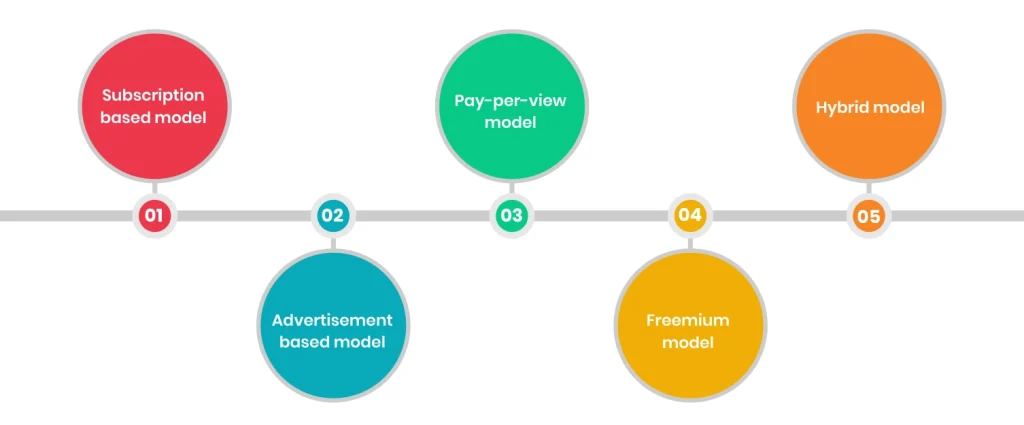
1. Subscription-based model
In this model, users only pay a monthly or yearly fee to access content. This is the most common model employed by OTT platforms such as Netflix and similar streaming apps. It provides a stable and continuous revenue for the business.
2. Advertisement-based model
In this model, Smart TV apps generate revenue by showing ads during or between content. This includes video ads, banner ads, or sponsored content. It works really well for free apps with large user bases.
3. Pay-per-view model
Users pay only for the content they want to watch. This model is used for movies, events, or exclusive shows. It is flexible and works well for premium content.
4. Freemium model
The app offers basic content for free. Whereas access to advanced features or premium content requires payment. This model helps attract more users before converting them into paying customers.
5. Hybrid model
Many smart TV applications combine two or more monetization methods. For example, free content with ads plus a subscription plan for ad-free viewing.
These models help businesses generate revenue while reaching a large audience on smart TV platforms.
Wrapping Up
If your service is focused on entertainment, education, or streaming, a smart TV app is worth considering. As more users are moving toward large-screen viewing, and smart TVs are now a normal part of everyday homes, businesses have a clear way to reach users directly on TV platforms. On-demand content is growing, while traditional viewing is slowly reducing.
This is a good time to move into smart TV app development. It helps you stay relevant as user behavior continues to change.
We, at Linkitsoft, build smart TV applications for different platforms. Connect with our team today to learn how your business can launch a strong presence on the big screen and reach more users today.