

In modern software development, building scalable apps depends heavily on how well different systems and tools stay in contact with each other. Whether you’re integrating third-party services or extending platform capabilities, developers constantly rely on structured interfaces and toolkits. This is because no matter what, they need to get the job done.
Two of the most commonly used components in this space are APIs and SDKs. Both play a critical role in enabling seamless development. However, choosing the right approach often depends on several technical factors.
In this comparative blog, we’ll break down how each works and how to decide which one aligns with your development strategy.
What is an SDK?
A Software Development Kit (SDK) is essentially a ready-made development package that gives developers everything they need to build apps, but more productively. An SDK provides a structured set of:
- Tools
- Pre-written libraries
- Documentation
- Sample code
These components help speed up the entire development process. Developers can install an SDK and plug it directly into their workflow through an Integrated Development Environment (IDE). That makes it easier to access and use its elements in real time. With an SDK in place, developers can focus more on functionality rather than setting up core building blocks from scratch.
What are the types of SDKs?
SDKs are typically designed around specific platforms or use cases. Here are some of the most common types:
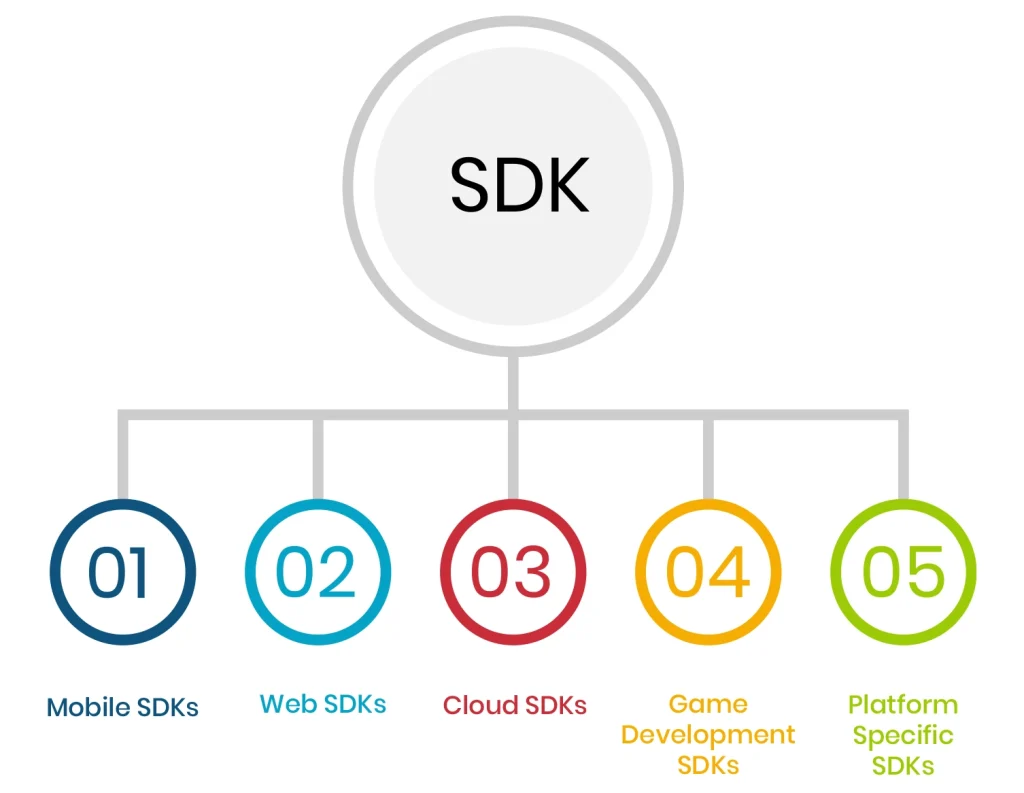
Mobile SDKs
These are built for mobile platforms like Android and iOS. They include UI components and platform guidelines. They exist to help developers create native or hybrid mobile apps.
Web SDKs
Web SDKs are used for building browser apps. They often include JavaScript libraries and integration tools that simplify adding features to web apps.
Cloud SDKs
Cloud providers offer SDKs to help developers interact with cloud services. These SDKs make it easier to integrate cloud functionality without dealing directly with low-level service calls.
Game Development SDKs
These SDKs are designed for building games and usually include a graphics engine and rendering tools. They help developers create absolutely awesome and dynamic gaming experiences.
Platform-Specific SDKs
Some SDKs are made for specific ecosystems like operating systems or third-party services. They ensure compatibility and provide optimized tools for building apps within that environment.
What is an API?
An Application Programming Interface (API) acts as a connecting bridge in software development. It allows different software systems to communicate with each other. Instead of building every feature from scratch, developers can use APIs to request data or functionality from external services. They can then integrate it directly into their apps.
At a technical level, an API defines a set of rules and endpoints that specify how requests should be made and how responses are returned. This allows systems to interact in a structured and predictable way without exposing their internal logic.
What are the types of APIs?
APIs come in different forms depending on how they’re exposed and used. Now, let us take a look at the most common types:
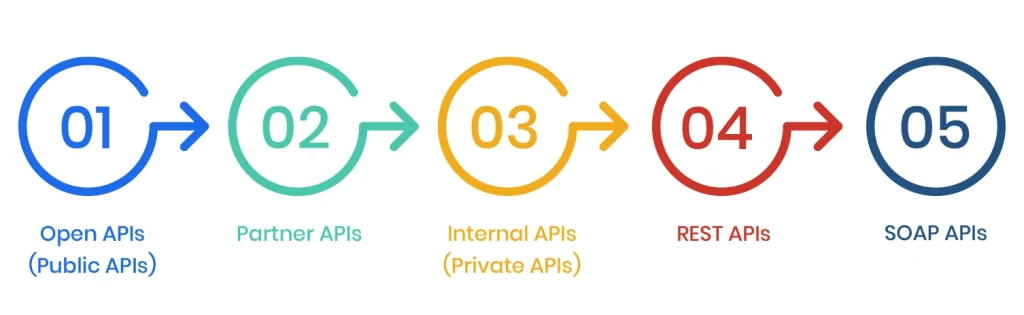
Open APIs (Public APIs)
These kinds of APIs are publicly available and can be accessed by external developers without any restrictions. They are commonly used by platforms that want to enable integrations and expand their ecosystem.
Partner APIs
Partner APIs are shared with specific business partners rather than the public. Access is usually controlled through authentication, making them ideal for secure data sharing between trusted entities.
Internal APIs (Private APIs)
These are used within an organization to connect internal systems and services. They help in making operations much simpler and enabling better communication between different parts of a company’s tech stack.
REST APIs
Representational State Transfer (REST) APIs are one of the most widely used types. They operate over HTTP and use standard methods, making them simple and easy to integrate.
SOAP APIs
Simple Object Access Protocol (SOAP) APIs are present to follow a more rigid structure and rely on XML for message formatting. They are also often used in enterprise environments where strict security and transaction standards are required.
How do Developers Use SDKs?
In practice, SDKs are used as a complete development layer that sits on top of a platform or service. Developers typically start by installing the SDK and integrating it into their development environment. Once set up, the SDK provides pre-built modules and tools. They’re super helpful because they can directly be used within the codebase.
For example, instead of manually writing complex logic, developers can call SDK functions that already handle these tasks. This significantly reduces the time it takes to develop the app while reducing the risks involved. Most SDKs also come with detailed documentation and sample projects. They help developers quickly understand implementation patterns.
Another key advantage is abstraction. SDKs hide low-level complexity by offering higher-level methods and reusable components.
How do Developers Use APIs?
API aqre used more as communication interfaces between systems. Developers interact with APIs by sending requests to specific endpoints and handling the responses that the server returns. This process usually involves making HTTP calls using methods like GET or DELETE, depending on the operation that you are performing.
A developer might use an API to fetch user data from a remote server or integrate real-time data like weather or maps into an app. So, technically, APIs don’t provide a full toolkit; they actually offer access points that developers need to work with directly.
Using APIs requires a clear understanding of request structures and response formats like JSON or XML. Developers often write custom logic to handle these interactions. They also use them to ensure that data is processed correctly within the app. APIs also require more manual effort compared to SDKs.
What are the Main Differences Between SDKs and APIs?
Although they are used for slightly similar components, both SDKs and APIs have their own set of differences that allow developers to use them for distinct purposes.
Below we’ve made a table explaining the primary differences between the two:
| Aspect | SDK | API |
| Purpose | Simplifies and accelerates application development | Enables interaction between different systems or services |
| Components | Includes libraries, APIs, documentation, sample code, and debugging tools | Typically includes endpoints, request/response formats, and protocols |
| Usage Level | High-level (abstracts complexity with ready-made functions) | Lower-level (requires manual handling of requests and responses) |
| Integration | Installed and integrated directly into the development environment | Accessed over the network via HTTP or other protocols |
| Development Speed | Faster due to pre-built functionalities | Slower compared to SDKs, as more custom logic is needed |
| Flexibility | Less flexible but more structured | Highly flexible and customizable |
| Control | Limited control over internal implementation | Full control over how requests and responses are handled |
| Learning Curve | Easier to use with documentation and examples | Requires understanding of endpoints, authentication, and data handling |
| Use Case | Best for building apps quickly on a specific platform | Best for integrating external services or enabling system communication |
API vs. SDK: Which One Should You Use And When?
If your goal is speed and simplicity, an SDK is usually the better choice. It comes with pre-built tools and abstractions. They are present to let you implement complex features with minimal effort. This makes it ideal for platform-specific development. It’s also quite ideal when you want to follow standardized implementation patterns. That too without diving into low-level details.
APIs are a better fit when you need flexibility and control. They allow you to directly interact with external services and build integrations according to your app’s logic. APIs are commonly used when connecting multiple systems or building highly customized workflows.
Can you use both SDK and API in the same project?
Yes, and this is actually very common in modern development.
Many SDKs are built on top of APIs, meaning when you use an SDK, you’re often indirectly interacting with an API underneath. Developers might use an SDK for core functionality to save time, while also making direct API calls for more specific or advanced use cases that the SDK doesn’t fully cover.
This hybrid approach gives you the best of both worlds. It’s especially useful in complex apps where some features can rely on pre-built tools, while others require more granular control and customization.
Conclusion
To wrap it up, SDKs and APIs complement each other. You just need to know the differences to understand where to use either. Where SDKs simplify and speed up development, APIs give you the control to customize and connect systems the way you want. The main thing is knowing when to lean on each other, so you can build apps that are flexible and ready to grow in the near future without complications.