

Most traditional websites follow a multi page structure. Every user action sends a request to the server. A new HTML page is loaded each time. This adds delay and increases network calls. As the app grows, this process becomes slower. Users may feel the site is lagging. Many leave because the experience is not smooth.
Single Page Applications solve this problem in a different way. The app loads once in the browser. After that, JavaScript updates only the required parts of the screen. Data is fetched using APIs instead of loading full pages. This reduces server requests and improves speed. The result feels more like a mobile app. In this guide, you will learn how SPAs work and how to build one step by step.
Understanding Single Page Applications and How They Compare to Traditional Websites
A Single Page Application is a type of web app that loads only once. After that, it does not reload the full page. When a user clicks on a button or link, only the content on the screen changes. The layout stays the same. This makes the app feel quick and smooth.
Traditional websites work in a different way. Each action sends a request to the server. A new page is loaded every time. This takes more time and can slow down the experience. In an SPA, JavaScript updates only the needed parts. Data is fetched using APIs. This reduces load time and keeps the user experience fast and consistent.
Key Differences Between SPAs and Traditional Multi Page Websites
Firstly, the way both types load content is different. In traditional websites, every action sends a request to the server. A new page is loaded each time. This increases the number of requests. It also slows down the experience. In SPAs, the app loads once. After that, only the needed part of the screen updates. Hence, it feels faster after the first load.
Secondly, performance and user experience are not the same. SPAs may take more time to load at the start. However, they respond quickly after that. MPAs often load faster in the beginning. But they reload again with every click. Therefore, users may feel delays over time.
Thirdly, the development process is also different. SPAs keep the front end and back end separate. This makes the code easier to manage. It also helps in reuse. In MPAs, both sides are more connected. Hence, changes can take more time and effort.
Moreover, SPAs depend more on JavaScript. It handles updates and data on the browser side. This can affect the initial load if not handled well. MPAs rely more on the server to render pages. Therefore, they are simpler but less interactive.
In terms of links, SPAs usually use one main URL. Extra setup is needed to share specific views. On the other hand, MPAs have separate URLs for each page. Hence, sharing pages is easier.
Finally, both are used in real projects. SPAs are common in apps like Gmail, Trello, and Google Maps. These apps need speed and smooth interaction. MPAs are used in news sites and large eCommerce platforms. Therefore, the choice depends on your project needs.
Pros and Cons of Single Page Applications
Single Page Applications are widely used today. But they are not perfect. They have both benefits and limitations. Understanding both sides helps you choose the right approach for your project.
Advantages of Single Page Applications
Firstly, SPAs are fast. The app loads once in the browser. After that, only data changes on the screen. HTML, CSS, and JavaScript load only one time. This reduces server requests. It also improves speed. User actions feel quick and smooth.
Secondly, SPAs improve user experience. The interface feels like a mobile app. Pages do not reload when users navigate. This makes the app feel more interactive. It also helps developers build better designs.
Thirdly, SPAs support caching. The browser can store data after the first load. This allows the app to reuse information without calling the server again. In some cases, the app can also work offline. It syncs data when the internet returns.
Fourthly, SPAs are flexible to build. The structure is simple because everything runs in one page. Developers can update features more easily. It also makes maintenance and scaling easier.
Disadvantages of Single Page Applications
Firstly, browser history can be an issue. SPAs do not reload full pages. Because of this, cached content can sometimes show old data. This can cause problems after updates.
Secondly, updates can be more complex. Large changes may require more effort. Sometimes developers need to adjust or rebuild parts of the app.
Thirdly, SEO can be harder. Search engines depend on page structure and links. SPAs need extra work, like server side rendering, to rank well.
Fourthly, there are security risks. SPAs depend heavily on JavaScript. This increases exposure to attacks like cross site scripting. Sensitive data must be protected carefully.
Lastly, link sharing is limited. SPAs often use one main URL. Without proper routing, users cannot share specific pages directly.
Building a Single Page Application Step by Step
Building a Single Page Application is not just coding. It needs planning, design, development, testing, and launch. Each stage plays an important role in the final product.
A typical team includes a UI UX designer, a front end developer, and a backend developer. A project manager keeps the work organized. A QA engineer tests the app before release. Sometimes, a business analyst is also added in the early stage to understand requirements.
Once the team is ready, the process becomes more structured. Business work and technical work move in parallel.
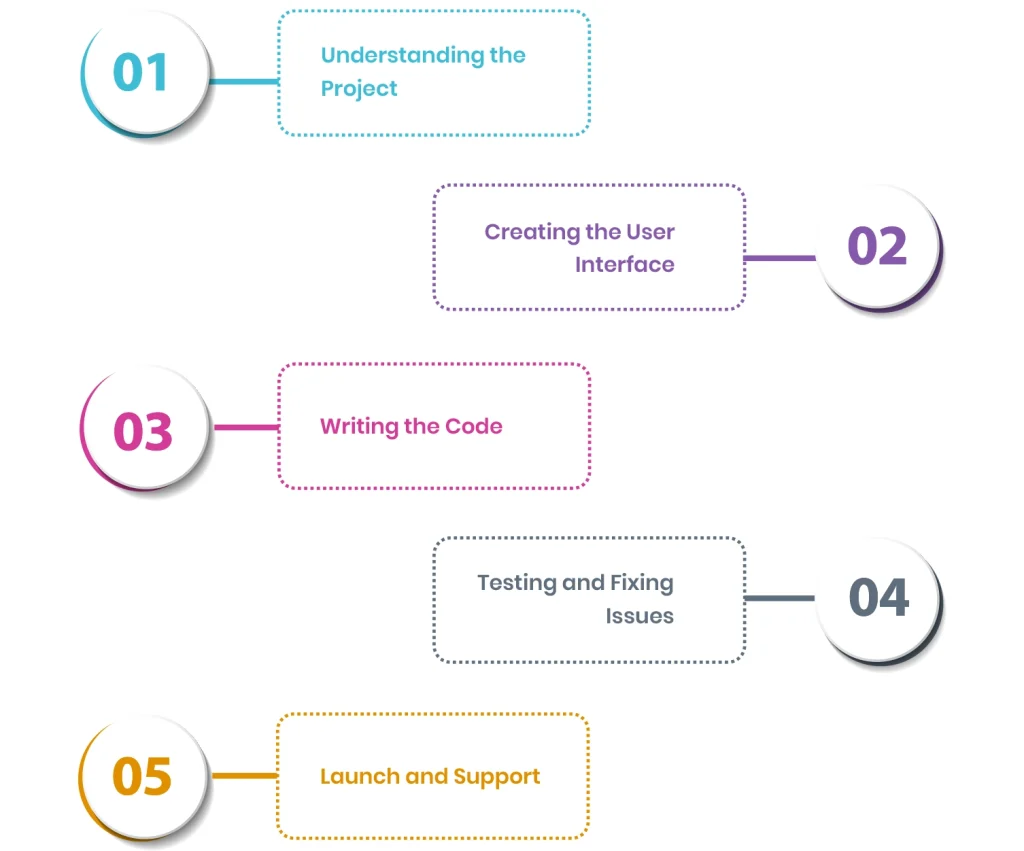
Step 1: Understanding the Project
The first step is research. You study the market. You study user needs. You also check competitors and their features.
This helps you understand what your app should do. You also define the main goal. The app should solve a real problem. It should also serve a clear audience. Clear planning at this stage avoids confusion later.
Step 2: Creating the User Interface
The second step is design. This is where the app structure is planned. SPAs use a single page layout. So the design must be simple and clear.
Designers decide where each element will go. They focus on usability. They also focus on flow. A good design helps users move through the app easily. Developers then use this design to start coding.
Step 3: Writing the Code
The third step is development. This is where the app is built. It has two main parts.
Front end developers build the user side. They use frameworks like React or Vue. They create components. They manage how the interface responds to users. The goal is speed and effortless interaction.
Back end developers build the server side. They create APIs. They manage databases. They also handle login systems and security. Both sides must work together for the app to function.
Step 4: Testing and Fixing Issues
The fourth step is testing. QA engineers check the full application. They test features one by one. They check performance. They also check security and device compatibility.
If issues are found, they are reported. Developers fix them. Then the app is tested again. This process repeats until the app is stable.
Step 5: Launch and Support
The final step is launch. The application is deployed on a server or cloud platform. Databases and other services are also set up.
Some teams release a beta version first. This helps collect real user feedback. After launch, the work continues. The team monitors performance. They fix bugs. They also release updates when needed.
Where Single Page Applications Work Best
SPAs are a good fit for applications that need fast updates and smooth interaction. They work best when user experience matters more than traditional page loading or heavy SEO needs.
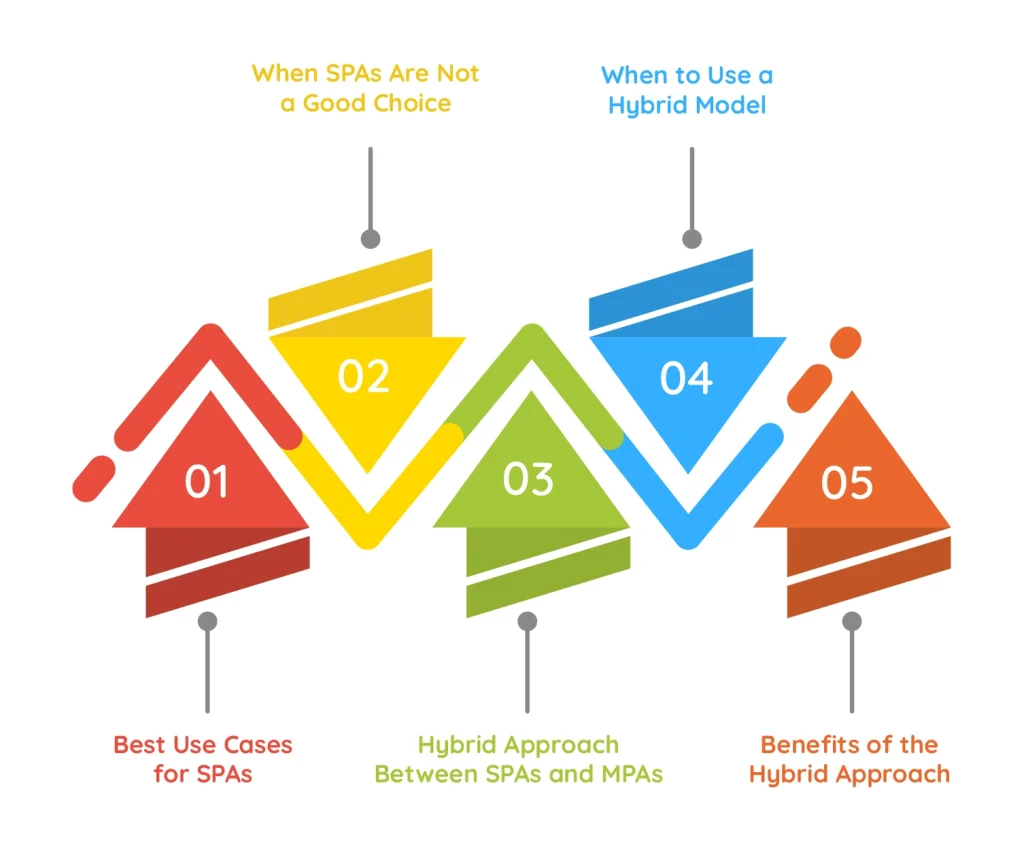
Best Use Cases for SPAs
Firstly, SPAs work very well for interactive dashboards. These include analytics tools and reporting systems. Data changes often in these apps. SPAs can update content in real time. There is no need to reload the full page. This makes the experience smooth and fast.
Secondly, SPAs are useful for internal business tools. These are platforms used inside companies. Speed and usability matter more than search engine ranking. SPAs help employees work faster with quick navigation and responsive screens.
Thirdly, SPAs are a strong choice for mobile first platforms. These include mobile apps and hybrid apps. Users expect quick responses on mobile devices. SPAs give an app like experience with smooth transitions and fast loading.
When SPAs Are Not a Good Choice
Firstly, SPAs are not ideal for content heavy websites. These are websites that depend on SEO and organic traffic. Search engines can find it harder to index SPA content. In these cases, multi page websites work better.
Secondly, SPAs are not always suitable for large eCommerce platforms. These sites have many products and complex navigation. MPAs handle SEO and structured content better in this case. They also manage large product pages more efficiently.
Hybrid Approach Between SPAs and MPAs
Many modern applications use a mix of both SPAs and MPAs. This is called a hybrid approach. It combines the speed of SPAs with the structure of MPAs.
In this model, some pages work like SPAs. Other pages follow traditional page loading. This helps balance performance and SEO needs.
When to Use a Hybrid Model
Firstly, use it for SEO focused pages. Pages like blogs and product listings need better indexing. Server side rendering or pre rendering can help here. Each page gets its own URL and ranks better in search engines.
Secondly, use SPAs for interactive sections. Dashboards, user profiles, and real time features work well in SPA mode. These parts need fast updates without full page reloads.
Lastly, this model helps maintain consistency across various devices. Mobile users get smooth navigation. Desktop users get structured content. Both experiences stay balanced.
Benefits of the Hybrid Approach
Firstly, it improves SEO. Pages with unique URLs are easier for search engines to index. This solves one of the main issues of SPAs.
Secondly, it improves performance. Developers can split features into smaller parts. This reduces load on the server and improves speed.
Thirdly, it improves user experience. Users get fast interactions without constant page reloads. The app feels smooth and modern.
How to Implement It Properly
Start by identifying important SEO pages like the homepage and product pages. Use server side rendering or static generation for them. This helps them rank better.
Next, use SPA components for dynamic features. These include carts, dashboards, and user actions. These parts should stay fast and interactive.
Make sure URLs are clean and SEO friendly. Test performance regularly. This helps maintain a balance between speed, SEO, and user experience.
Wrapping Up
This brings us to the end of the guide. You now have a clear idea of how Single Page Applications work and how they are built step by step. You also understand where they work best and where a different approach may be a better fit.
If you are planning to build an SPA for your business, working with an experienced team makes the process smoother and more reliable. Companies like Linkitsoft help with planning, design, and development so the final product is fast, scalable, and user friendly.